
Case Study
VicRoads Invoice Redesign
From “Transaction History” to a True Tax Invoice
Role: Lead UX Designer • Organisation: VicRoads • Date: May 2025
The challenge
Consolidated a confusing “transaction history” into a compliant, human-readable tax invoice that scales to very large orders—restoring trust and reducing complaints.
Expand from 5 columns to 13 and support up to 1,500 line items per invoice without overwhelming users.
Trigger: A business customer escalated to the ombudsman over missing tax breakdowns.
The problem
The “invoice” was actually a transaction history—no tax line items, no GST breakdowns, no clear totals. This created compliance risk and eroded trust for business customers.
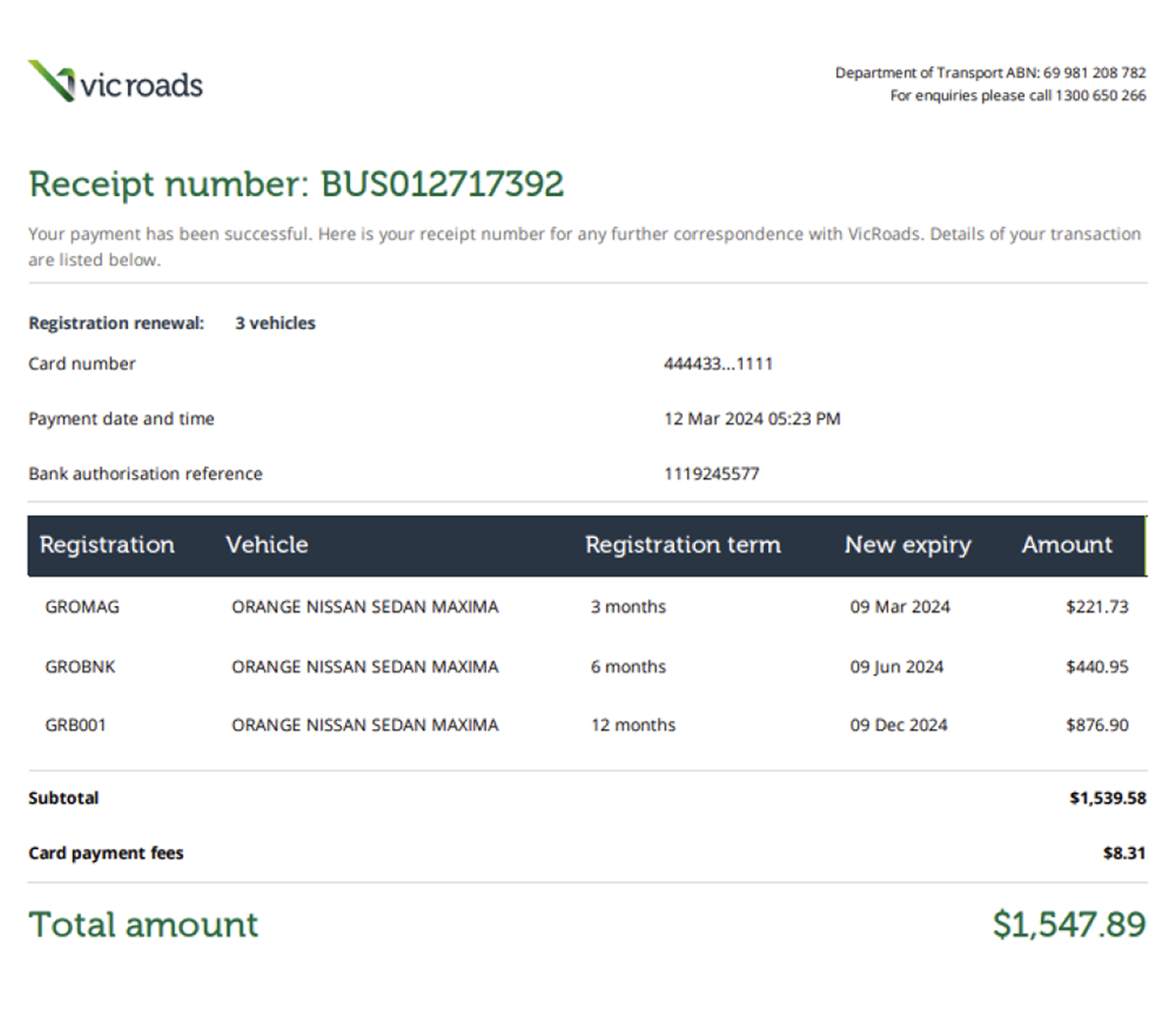
Requirements
Data surface: 13 required columns, some conditional.
Performance and readability at scale: up to 1,500 transactions on a single invoice.
Must remain printable and exportable while being easy to scan on-screen.
My approach
Data-first design: defined the complete invoice schema (columns, calculations, conditional fields).
Information architecture: grouped columns into logical clusters (Identity, Line Item, Pricing, Tax, Totals) to control cognitive load.
Progressive disclosure: prioritised the essential “tax-critical” view, then revealed long-tail details without clutter.
Scale strategy: table patterns for very long lists (sticky headers, zebra rows, chunked pagination/print-safe page breaks).
Print & export parity: ensured PDF/print output mirrors on-screen totals and tax breakdowns for audits and bookkeeping
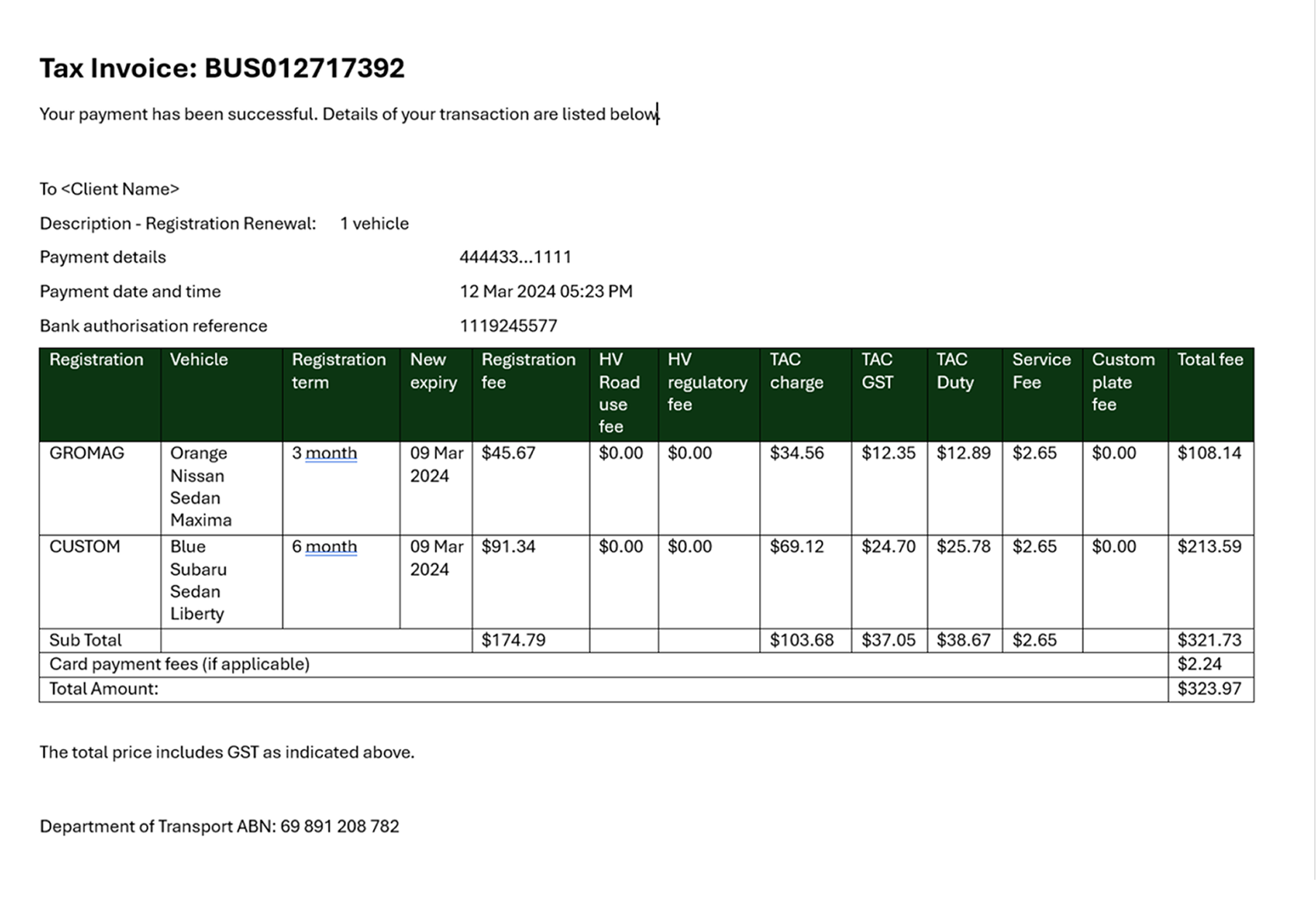
Collaboration
Worked with finance SMEs to validate calculations, and with engineers to ensure the invoice schema and print renderer produced identical totals across environments. Concepts began once data requirements were locked.
The result
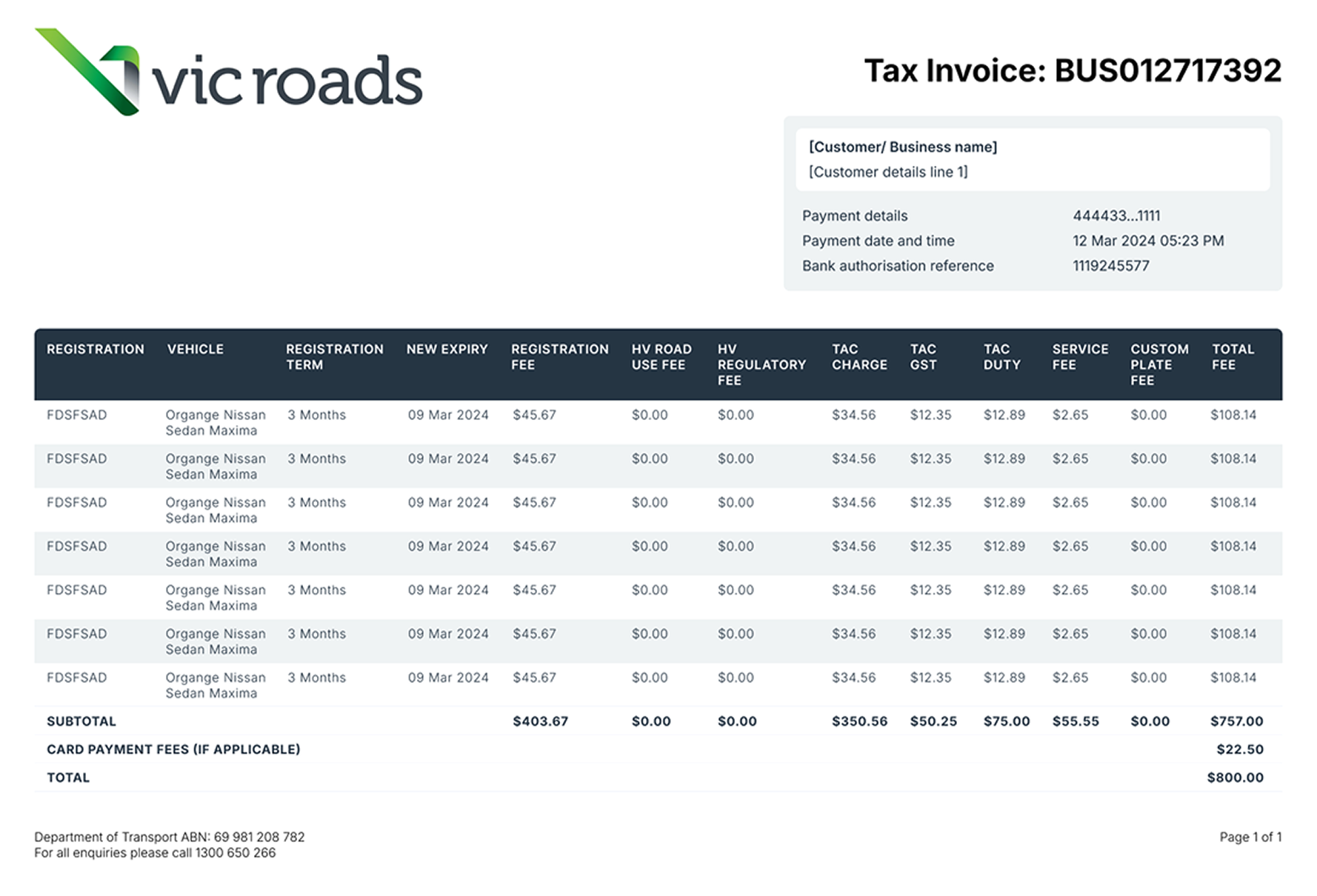
A clear, concise consolidated tax invoice that’s easy to read, compliant, and practical for bookkeeping—no more guesswork, no more “where’s the GST?” emails.
Before → After (Key Improvements)
No tax view → Proper tax breakdowns: visible GST elements, taxable vs non-taxable lines, and final totals.
Ambiguous rows → Structured line items: consistent description, quantity, unit price, tax rate, line total.
Support burden → Customer confidence: business customers can self-serve tax needs without escalation.
Notable Design Decisions
Two-tier header: org/invoice identity block on top; line-item table below.
Tax clarity first: a dedicated “Tax Summary” just below totals (GST amount, taxable base, exemptions).
Readable at length: 12–14px mono/sans for tabular data, 16–18px for summary; 8pt baseline grid for print.
Edge-case resilience: behavior defined for 0-tax lines, mixed tax rates, discounts, refunds, and rounding.
Accessibility & Print
AA/AAA contrast on headers and totals
Large-number readability (thin spaces/commas, right-aligned amounts)
Print-safe colors, no reliance on color alone, and visible table rules
Page-break rules ensure headers repeat and totals aren’t stranded
Outcome & Impact
Compliance confidence: tax elements correctly surfaced and summarized.
Reduced escalation risk: addresses the ombudsman-driven complaint vector.
Operational clarity: fewer “where’s the tax?” tickets; faster reconciliation for business customers.